




Digicam: The Complete Guide to Vintage Digital Cameras
Everything about digicams: history, CCD rendering, families and brands, batteries and memory cards, settings, sharing and buying used.
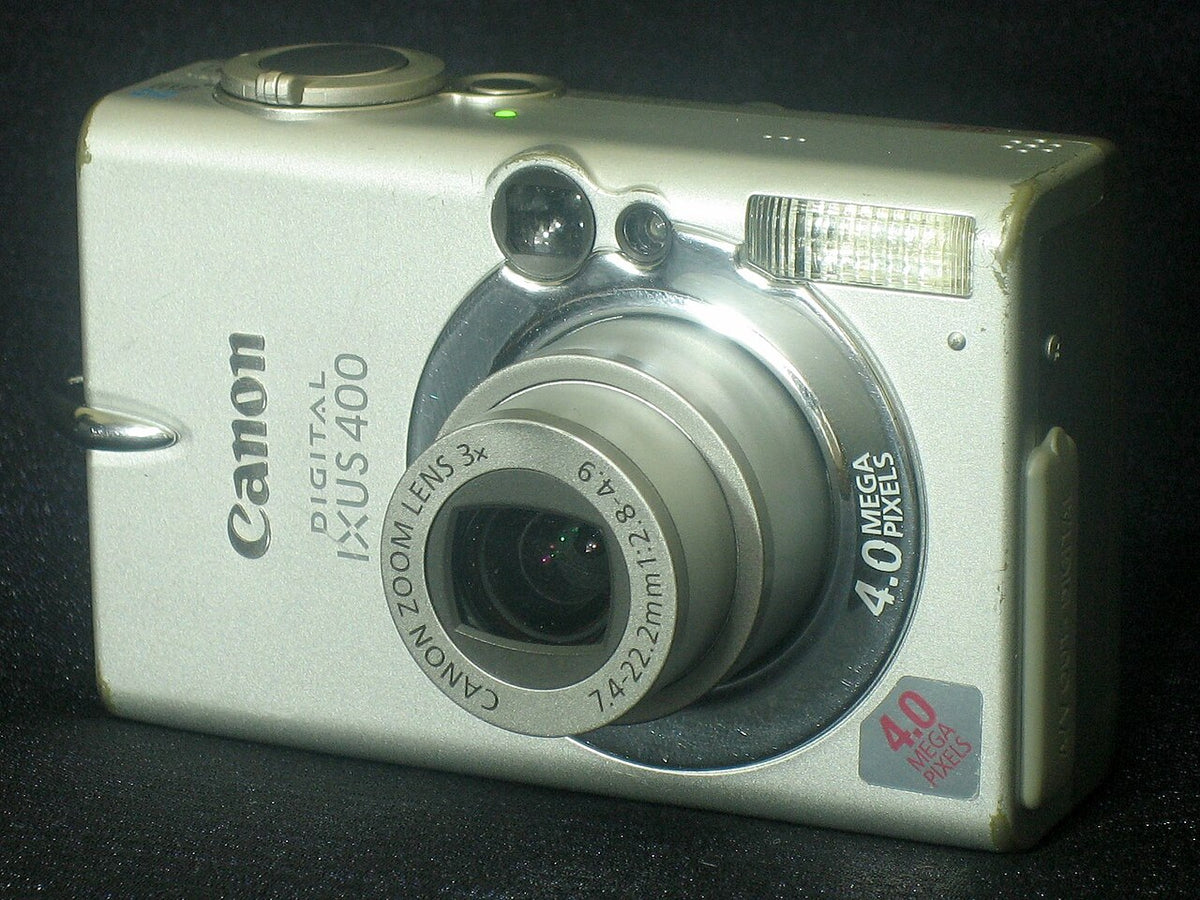
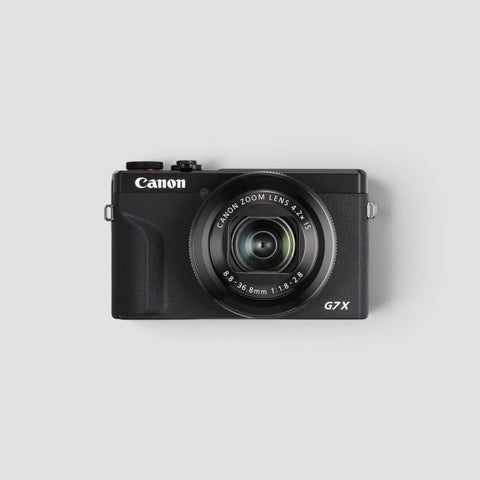
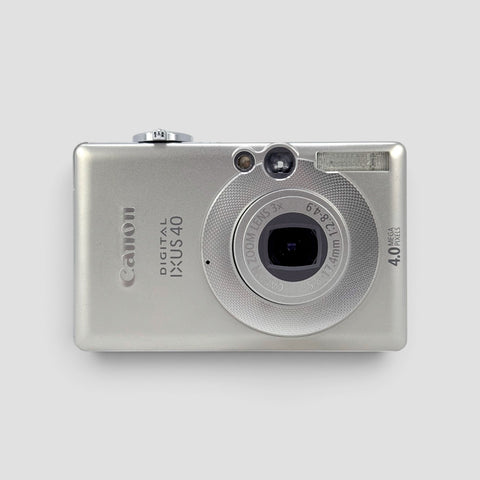
A digicam is a compact digital camera from around 1995–2012: Canon IXUS, Sony Cyber-shot, Nikon Coolpix, Fujifilm FinePix, Kodak EasyShare… Its small sensor (often CCD), direct flash, and period image processing create that “2000s” look that smartphone filters struggle to replicate. To make the most of one, keep three things in mind: choose a model for which you still have the battery and memory card, check the lens and screen, and learn how to work with the flash. This guide covers everything from history to settings, with links to our detailed articles.

What is a digicam?
The term comes from the English digital camera. Today, it mainly refers to consumer digital compact cameras from before the smartphone era: small, automatic cameras with a 3× to 5× (sometimes greater) optical zoom, built-in flash, and LCD screen. They are neither DSLRs nor modern high-end compact cameras with large sensors, which we compare in modern high-end compact camera or digicam.
A brief history of the digital compact camera
| Year | Milestone |
|---|---|
| 1975 | Kodak engineer Steven Sasson builds a prototype digital camera that records onto cassette. |
| 1988 | Fujifilm introduces the Fujix DS-1P, a prototype that records onto a removable memory card. |
| 1995 | The Casio QV-10 popularises the LCD screen on the back of the camera. |
| 1996–1998 | Introduction of the Sony Cyber-shot (1996), Nikon Coolpix (1997), Sony Digital Mavica with floppy disk (1997), and Fujifilm FinePix (1998) ranges. |
| 2000 | Canon launches the Digital IXUS in Europe, a pocket-sized metal compact camera. |
| 2001–2002 | Kodak EasyShare and Panasonic Lumix (2001); Olympus and Fujifilm create the xD card (2002); Casio launches the extra-flat Exilim. |
| 2005–2010 | Golden age: 5 to 14 MP CCD sensors, image stabilisation, face detection, and VGA, then HD video. |
| 2010s | The smartphone replaces the entry-level compact camera; several brands stop production (Casio leaves the compact camera market in 2018). |

Why this look is so popular
The “digicam look” does not come from a single ingredient. It combines:
- a small sensor, often CCD, with bold colours and visible digital noise from 400 ISO;
- direct flash, powerful and frontal, which separates the subject from a dark background;
- period JPEG processing: contrast, saturation, and accentuated sharpness;
- limited dynamic range: sometimes blown-out skies and crushed shadows, which give it an instant look.
CCD is not magic, though: we explain what really changes in CCD or CMOS: what is the difference in image quality, and which models to choose in 2000s digital cameras: which one to choose for the CCD look.
Concrete example: these two photos were taken with a Fujifilm FinePix F30 (2006), a compact camera renowned for its good low-light performance.

Digicam families
| Family | Examples | For whom? | To know |
|---|---|---|---|
| Ultra-compact metal | Canon IXUS, Sony Cyber-shot T series, Casio Exilim | Evenings, pocket, Y2K look | Proprietary battery, lens retractable and fragile in sand |
| AA battery compact | Canon PowerShot A, Nikon Coolpix L, Kodak EasyShare C | Travel, simplicity | Easy-to-find batteries, thicker camera |
| Travel zoom compact | Panasonic Lumix TZ, Canon PowerShot SX | Travel, versatility | Less “lo-fi”, sharper |
| Waterproof / rugged | Olympus Mju Tough, Pentax Optio W/WG, Fujifilm FinePix XP | Beach, pool, snow | Seals to check before diving |
| Bridge | Fujifilm FinePix S, Sony DSC-H, Panasonic Lumix FZ | Telephoto lens, DSLR-style grip | Bulky |
| Period high-end compact | Canon PowerShot G, Panasonic Lumix LX, Ricoh GR Digital | Manual control, RAW | More expensive, cleaner image quality |
Major brands and their series
Each brand has its own colour signature and accessory formats. The table below summarises useful references; our guides by brand detail the history and models to prioritise.
| Brand | Digicam series | Most common memory card | Guide |
|---|---|---|---|
| Canon | Digital IXUS, PowerShot A, S, SX, G | CompactFlash on early models, then SD | Canon |
| Sony | Cyber-shot (DSC-W, T, H, P), Mavica | Memory Stick (Duo, Pro Duo) until around 2010, then SD/MS | Sony |
| Nikon | Coolpix (S, L, P) | CompactFlash on early models, then SD | Nikon |
| Fujifilm | FinePix (F, Z, J, S, XP) | SmartMedia, then xD, then SD | Fujifilm |
| Olympus | Camedia, Mju Digital / Stylus, Tough | SmartMedia, then xD, then SD around 2010 | Olympus |
| Kodak | EasyShare (C, M, V, Z) | SD | Kodak |
| Panasonic | Lumix FX, FS, TZ, LX | SD | — |
| Casio | Exilim (EX-S, EX-Z) | SD | — |
| Pentax | Optio | SD | Pentax |
| Konica Minolta | Dimage | SD / CompactFlash depending on model | Minolta |
Tip: the memory card depends on the exact model, not just the brand. Always check the manual or card slot before buying a card.
How to choose a digicam
- Your use: evenings (powerful flash, small format), travel (zoom, AA batteries), video (720p minimum), beach (waterproof).
- Battery availability: a compatible battery and charger should be easy to find. See battery and charger for an older digital camera.
- Card format: SD is the easiest; xD and Memory Stick are still available but more expensive for the capacity. See which memory card for an older digital camera.
- The desired look: entry-level CCD for the Y2K look, high-end compact for more quality.
- Condition: lens, screen, flash, battery door, test photo.
Unsure between two brands? Our comparison Canon IXUS vs Sony Cyber-shot compares the two most sought-after series.
View our digicams and vintage digital cameras →
Battery, memory card, cable: the basic kit
| Item | What to check | Our guide |
|---|---|---|
| Battery | Exact reference (e.g. Canon NB-4L, Sony NP-BG1, Nikon EN-EL10), condition, reliable compatibles | Batteries and chargers |
| Charger | Original or compatible charger with the same reference; some models charge via USB | Batteries and chargers |
| Memory card | Format (SD, xD, Memory Stick, CF) and maximum accepted capacity (often 2 GB for non-HC SD) | Memory cards |
| Reader / cable | USB card reader for SD; specific reader for xD or Memory Stick; mini-USB or proprietary cable | Transferring photos |
Settings and shooting
To recreate the look of 2000s family photos: forced flash indoors and at night, automatic or “daylight” white balance, low sensitivity during the day, and original 4:3 format. We detail each setting, including the date display, in digicam: the settings to recreate the 2000s look. For evenings, weddings, and festivals, also read which camera for an evening or wedding.
Transferring and sharing your photos
The easiest way is still a card reader plugged into a computer or smartphone (with a USB-C or Lightning adapter depending on the phone). The original cable also works, but some connectors have become rare. The complete method is in transferring photos from an old digital camera.
Limitations to know
What we like
- Immediately recognisable look
- Lightweight and often affordable cameras
- No film or development costs
- A real dedicated camera that is easy to lend out at an evening event
What to accept
- Limited low-light quality without flash
- Modest battery life, sometimes tired original batteries
- Retractable lenses sensitive to sand and impacts
- Video often in 640 × 480 on models before 2008–2009
Buying a second-hand digicam
On a digicam, typical failures are known: “Lens error” (stuck lens), faulty screen, defective sensor on certain series, broken battery door, oxidised contacts. Our checklist buying a vintage digital camera second-hand: the 10 checks tells you what to check, and warranty, condition, and trust explains your rights depending on the seller. To make the camera last: maintaining and storing a vintage camera.
At Vibes Photo, each camera is checked before being put up for sale and covered by a six-month commercial warranty, in addition to the legal warranties of conformity and hidden defects. The details are in our general terms and conditions of sale.
Discover our checked digicams →
All our digicam guides
The complete library, to explore according to your camera and your desires:
- Buying a vintage digital camera second-hand: the 10 checks
- 2000s digital camera: which one to choose for the CCD look?
- Affordable full-frame camera: the best second-hand choices
- Second-hand camera for vlogging: which one to choose?
- Camera battery that does not charge: causes and solutions
- Battery and charger for an older digital camera: the guide
- Canon EOS 5D and 5D Mark II second-hand: the affordable full-frame
- Canon EOS 300D, 350D, 400D, 450D, 20D, 30D, 40D: which second-hand DSLR?
- Canon G7 X second-hand: Mark I, Mark II or Mark III, which one to choose?
- Canon G7 X or Sony RX100 second-hand: which one to choose?
- Canon IXUS 105: review, technical sheet and buying advice
- Canon IXUS 115 HS: review of the f/2.8 bright compact
- Canon IXUS 130: review, technical sheet and buying advice
- Canon IXUS 132: review of the stabilized CCD compact with 8x zoom
- Canon IXUS 145: review of the 16 MP CCD compact with 8x zoom
- Canon IXUS 175: review, specifications and buying guide
- Canon IXUS 185: review of the latest IXUS with a CCD sensor
- Canon IXUS 230 HS: review of the 8x Full HD compact zoom camera
- Canon IXUS 285 HS: review of the 12x Wi-Fi compact zoom camera
- Canon IXUS 60: review, specifications and buying guide
- Canon IXUS 70: review, specifications and buying guide
- Canon IXUS 75: review, specifications and buying guide
- Canon IXUS 80 IS: review, specifications and buying guide
- Canon IXUS 85 IS: review, specifications and buying guide
- Canon IXUS 95 IS: review, specifications and buying guide
- Canon IXUS: which model to choose second-hand? (70, 80, 105, 130, 175…)
- Canon IXUS or PowerShot: what’s the difference and which should you choose?
- Canon IXUS vs Sony Cyber-shot: which should you choose?
- Used Canon PowerShot G10, G11, G12: which should you choose?
- Canon PowerShot G9: review of the 2007 CCD enthusiast compact camera
- Canon PowerShot S2 IS and SX10 IS: review of Canon bridge cameras
- Canon PowerShot A series: the AA battery-powered digicam (A520, A570 IS, A590 IS…)
- Used Canon PowerShot SX: which model should you choose? (SX100 to SX740 HS)
- Canon PowerShot SX200 IS: review of the 12x compact zoom camera
- Canon PowerShot SX70 HS: review of the 65x zoom bridge camera
- Canon PowerShot SX740 HS: review of the 40x 4K compact zoom camera
- What memory card for an old digital camera?
- Memory card not recognized by the camera: causes and solutions
- Used Casio Exilim: guide to ultra-slim digicams (EX-S500, EX-Z750…)
- CCD defect from 2002–2004: affected cameras and symptoms
- CCD or CMOS: what difference does it make to image quality?
- Modern enthusiast compact or 2000s digicam: which should you choose?
- Adding the date to digicam photos: settings and tips
- Digicam with tiltable screen or selfie: models to know
- Digital camera that no longer turns on: what to do?
- AA battery-powered digicam: practical models and the right batteries
- Digicam for TikTok and Instagram: which model and how to post?
- Digicam that records well: the best models for video
- Digicam or smartphone: what are the differences in image quality, and which should you choose?
- Black, scratched or defective camera screen: causes and solutions
- “Lens error” on a camera: causes and solutions
- Camera flash that does not fire: causes and solutions
- Digicam formats and resolution: Mpx, JPEG, RAW, video
- Fujifilm FinePix F30 and F31fd: review of the low-light digicam champions
- Fujifilm FinePix J27: review of the small CCD compact camera
- Used Fujifilm FinePix F and Z: which model should you choose? (F30, F31fd, Z1…)
- Fujifilm FinePix S2950 or S1500: which AA battery bridge camera should you choose?
- Fujifilm FinePix S5500 and S5700: review of AA battery bridge cameras
- Used Fujifilm FinePix A series and J series: guide and models
- Fujifilm FinePix Z series: review of shutterless compact cameras
- Used Fujifilm X-T1, X-T2, X-T3: which should you choose?
- Used Fujifilm X100: X100, S, T, F, V or VI, which should you choose?
- Which used mirrorless camera to start with in photography?
- Used Kodak EasyShare: guide to Kodak digicams (C330, CX7330, V570…)
- Used Leica M8 and M9: review, CCD sensor and pitfalls to avoid
- List of CCD sensor cameras: compacts and SLRs to know
- Best digicams by budget: which digital compact should you choose?
- Minolta and Konica Minolta Dimage: used X, A, Z and 7 series
- Nikon Coolpix AW100: review of the waterproof compact camera with GPS
- Nikon Coolpix P950 or P1000: which superzoom bridge camera should you choose?
- Used Nikon Coolpix: S, L or P series, which model should you choose?
- Nikon Coolpix S3300: review of the small 16 Mpx CCD compact camera
- Nikon Coolpix S640: review of the bright f/2.7 CCD compact camera
- Nikon Coolpix S6900: review of the selfie compact camera with tiltable screen
- Nikon Coolpix S9700: review of the 30x compact zoom camera with GPS
- Used Nikon D200: review of the CCD sensor enthusiast SLR
- Used Nikon D40, D60, D70, D80, D90: which should you choose?
- Used Nikon D700: review, strengths and points to check
- Shutter count on an SLR: how to check it?
- Lenses and mounts for SLRs and mirrorless cameras: the compatibility guide
- Used Olympus Camedia: C-2020, C-3030, C-5050 and C-8080 compact cameras
- Used Olympus E-500: review of the Kodak CCD Four Thirds SLR
- Olympus mju digital and Stylus: guide to Olympus digicams (300, 410, 720 SW…)
- Olympus OM-D E-M10: which model should you choose second-hand?
- Used Olympus PEN and OM-D: E-P1, E-PL1, E-M5, E-M10, E-M1
- Olympus Tough TG: which waterproof compact camera should you choose second-hand?
- Used Panasonic Lumix compact: TZ, FS or LX, which should you choose?
- Used Panasonic Lumix G and GH: which mirrorless camera should you choose?
- Panasonic Lumix GX9: review of the 20 Mpx compact mirrorless camera
- Used Panasonic Lumix LX3, LX5, LX7: review and differences
- Pentax K100D, K10D, K200D: used Pentax CCD SLRs
- Used Pentax Optio: guide to Pentax compact cameras (S4, S5i, W60, WG-1…)
- Which used SLR or mirrorless camera to start with?
- Used SLR or mirrorless: which should you choose?
- Digicam: settings to recreate the 2000s look
- Used Ricoh GR Digital: which model should you choose? (GR Digital I to IV, GR, GR III)
- Used Samsung compact cameras: Digimax, NV, ST… which should you choose?
- Used Samsung PL and ES: PL150 with dual screen, ES55, ES17…
- Used Sony Alpha A200, A300, A350: Sony CCD SLRs
- Used Sony Alpha and NEX: A100, NEX-5, NEX-7, which body should you choose?
- Sony Cyber-shot DSC-P: guide to early 2000s digicams
- Sony Cyber-shot HX80: review of the 30x compact zoom camera with viewfinder
- Used Sony Cyber-shot: which model should you choose (P, W, T, H, HX, RX)?
- Sony Cyber-shot T series: guide to ultra-slim digicams (T9, T10, T100, T200…)
- Sony Cyber-shot W series: which model should you choose? (W80, W120, W200, W800…)
- Sony Cyber-shot DSC-T100: review, specifications and buying guide
- Sony Cyber-shot T700: review of the ultra-slim touchscreen compact camera
- Sony Cyber-shot T99: review of the slim touchscreen compact camera
- Sony Cyber-shot DSC-W120: review, specifications and buying guide
- Sony Cyber-shot W570: review of the 16 Mpx CCD compact camera
- Sony Cyber-shot W830: review of the 8x zoom CCD compact camera
- Sony Mavica: the floppy disk and CD camera, review and history
- Used Sony RX100: which version should you choose, from I to VII?
- Transferring photos from an old digital camera
All our video, instant and practical guides
Camcorders, instant cameras, lenses, techniques and maintenance:
- Taking a camera on a plane: cabin, hold and batteries
- Camera for a concert or festival: choices and settings
- What camera for a child? The 5 options that work
- Instant camera: which should you choose according to your profile?
- Cameras for wedding guests: alternatives to disposables
- Camera that does not fire: causes and solutions
- Digital camera that prints: types and which one to choose
- Learning photography as a beginner: the 10-step method
- Astrophotography for beginners: photographing stars and the Milky Way
- White balance: accurate (or deliberately incorrect) colors
- Camcorder battery: finding the right model (Sony, Panasonic, JVC, Canon)
- Swollen camera or camcorder battery: what to do?
- Super 8 camera: the guide to shooting on film today
- Digital8 camcorder: digital on Hi8 cassette, user guide
- DVD, hard drive or SD card camcorder: which should you choose?
- Hi8 and Video8 camcorder: image quality, models and buying guide
- MiniDV camcorder: the complete guide to choosing and shooting
- Camcorder that no longer reads cassettes: causes and solutions
- Vintage Panasonic, JVC and Canon camcorders: the ranges to know
- Camcorders from the 80s, 90s and 2000s: which should you choose according to the image quality
- Sony camcorder error codes (C:21, C:22, C:31, E:61…)
- Sony NightShot camcorder: how does night vision work
- Which camcorder for shooting clips and TikToks with a vintage look?
- VHS-C camcorder: authentic VHS image quality, user guide
- Vintage camcorder: which should you choose to shoot like in the 2000s?
- Canon MV: Canon compact MiniDV camcorders (MV1 to MV960)
- Which cassette for my camcorder? Formats, durations and compatibilities
- MiniDV and Hi8 cassettes: where to find them and how to choose them properly
- Fungus in a lens: recognize, prevent, repair
- Universal camera battery charger: reliable or not?
- Photo composition: the rules that really change your images
- Preserving your instant photos and films (Polaroid, Instax) without damaging them
- Soft release and remote control: which one for your camera
- Wrist strap or camera strap: choosing the right attachment for your camera
- Giving a film effect to a digital photo (without cheating)
- Shooting with a VHS or 2000s look: the vintage look guide
- Polaroid film: i-Type, 600, SX-70 or Go, which one for your camera?
- Shooting a wedding with a vintage camcorder: the practical guide
- Photo filters: UV, polarizing, ND and color, which ones are really useful?
- Equivalent focal length and crop factor: understanding “35 mm equivalent”
- Printing your photos: lab, photo booth or portable photo printer?
- Instax mini 12: review, specifications and who it’s for
- Instax mini 41: review of the retro-style Instax
- Instax mini 99: the most creative analog Instax
- Instax mini Evo: review of the hybrid Instax
- Instax mini: user guide to get started
- Instax mini, Square or Wide: which film format to choose?
- Instax not working: indicators, jammed film, failed photos
- Which Instax to choose? The guide to all models, new and used
- Instax SQUARE SQ40: review of the square-format Instax
- Instax WIDE 400: review of the large-format Instax
- JVC GR-D and GR-DVL: affordable JVC MiniDV camcorders
- Free photo editing software: which ones to choose
- The best vintage lenses to adapt to a hybrid camera
- MiniDV, Hi8, VHS-C, Digital8: differences between camcorder formats
- Focusing, hyperfocal distance and zone focusing: the method explained
- P, A, S, M modes and light metering: understand and choose
- Cleaning your camera sensor: the safe method
- Cleaning a camera lens without scratching it: equipment and techniques
- Cleaning camcorder heads: the risk-free method
- Digitizing your video cassettes: how to choose a service provider
- M42 lenses: the complete guide (mounts, adapters, pitfalls)
- Mounting a vintage lens on a hybrid camera: rings, settings, pitfalls
- Panasonic NV-GS and NV-DS: Panasonic MiniDV camcorders
- Lens hood and UV filter: really useful?
- Looking at an eclipse with photographic film: why it's dangerous
- Wildlife photography: tips for beginners (birds, wildlife, zoo)
- Architectural photography: straight lines, light and framing
- Flash photography: techniques for a successful (and intentional) result
- Photographing a baby: simple tips and safety
- Photographing your dog or cat: simple tips
- Backlit photography: how to succeed (and make it an asset)
- Food photography: light, angles and styling to make your dishes look great
- Succeeding with a group photo: placement, settings and tips
- Night photography: settings, equipment and tips for sharp images
- Photographing fireworks: settings and tips
- Golden hour and blue hour: when and how to photograph
- Macro photography: equipment, settings and tips for close-up photography
- Photographing snow and fog: settings and tips
- Black and white photography: seeing in B&W, light, filters and conversion
- Photographing a thunderstorm and lightning safely
- Taking a panoramic photo: with a camera, a digicam or on film
- Photography in cold weather: batteries, condensation, film and snow
- Landscape photography: light, settings and composition for striking images
- Photography at the beach and in summer: protecting your camera and exposing correctly
- Photographing in the rain: protecting your camera and succeeding with your photos
- Failed Polaroid or Instax photo: causes and solutions
- Succeeding with portraits: light, focal length, settings and posing
- Hiking photography: which camera to take and how to carry it
- Road trip photography: equipment, organization and photo ideas
- Skiing and mountain photography: camera, settings and protection
- Sports photography: settings and tips to freeze the action
- Overexposed or underexposed photo: causes and how to correct
- Photographing the Moon: settings, focal length and tips
- Mercury PX625 battery: what to replace it with?
- Leaking battery in a camera: how to clean
- Vintage Polaroid 600 cameras: which one to choose and how to use it
- Polaroid Go Gen 2: review of the smallest Polaroid
- Polaroid I-2: the expert Polaroid, with manual modes
- Polaroid Land Camera 1000 and Supercolor 635: review and compatible film
- Polaroid: user guide (loading film, flash, first photo)
- Polaroid not working: photo not coming out, red light…
- Polaroid Now, Now+, Flip or I-2: which modern Polaroid to choose?
- Polaroid or Instax: what to choose for your instant photos?
- Polaroid: what to do when the photo comes out of the camera
- Polaroid SLR 680: the Polaroid folding SLR for 600 film
- Polaroid Sun 660: review of the Polaroid 600 with autofocus
- Polaroid SX-70: review, models and buying guide
- Long exposure: silk effect, light trails and ND filters
- How much does an instant photo cost? Price per Instax and Polaroid photo
- Depth of field and bokeh: understand and master blur
- Storing your photo equipment away from moisture
- RAW or JPEG: which format to choose for your photos?
- Recovering deleted photos from a memory card
- Camera bag, case or cover: how to carry a vintage camera
- Sony VX1000, VX2000, VX2100: the cult skate camcorders
- Sony Handycam DCR-PC: the vertical compact MiniDV (PC100, PC110, PC1000…)
- Sony Handycam DCR-TRV: MiniDV or Digital8, how to find your way
- Sony Handycam: which model to choose among the generations?
- Street photography: settings, camera and ethics for photographing the street
- Transferring camcorder tapes to a computer: the method
- Which tripod for a vintage, film or digicam camera?
Frequently Asked Questions
Does a digicam take better photos than a smartphone?
Not in pure quality: a recent smartphone is sharper and much better at night without flash. The digicam offers a different look (direct flash, colors, noise) and the pleasure of a dedicated camera.
Which digicam to choose to get started?
A compact with an SD card and a battery that is still easy to find, such as many Canon IXUS, recent Sony Cyber-shot W series with SD card, Nikon Coolpix S series or Panasonic Lumix.
Do all compact cameras from the 2000s have a CCD sensor?
The vast majority until the end of the 2000s, yes. From 2009-2011, more and more compact cameras switched to backlit CMOS. The exact model's technical sheet is the authority.
Does a 32 GB SD card work in an old digicam?
Only if the camera accepts SDHC. Many models prior to 2007-2008 are limited to 2 GB (standard SD).
Can you film with a digicam?
Yes, almost all film, often in 640 × 480 (VGA); models from the late 2000s switch to 720p. For a real vintage video look, a vintage camcorder remains more suitable.
Sources: Casio – QV-10 (official press release); Fujifilm FinePix – Wikipedia; Casio Exilim – Wikipedia; Fujifilm, history (official blog).