




Polaroid: user guide (loading the film, using the flash, taking the first photo)
How to use modern and vintage Polaroid cameras: which film to use, how to load it, how to turn off the flash, and the steps to get the first photo right.
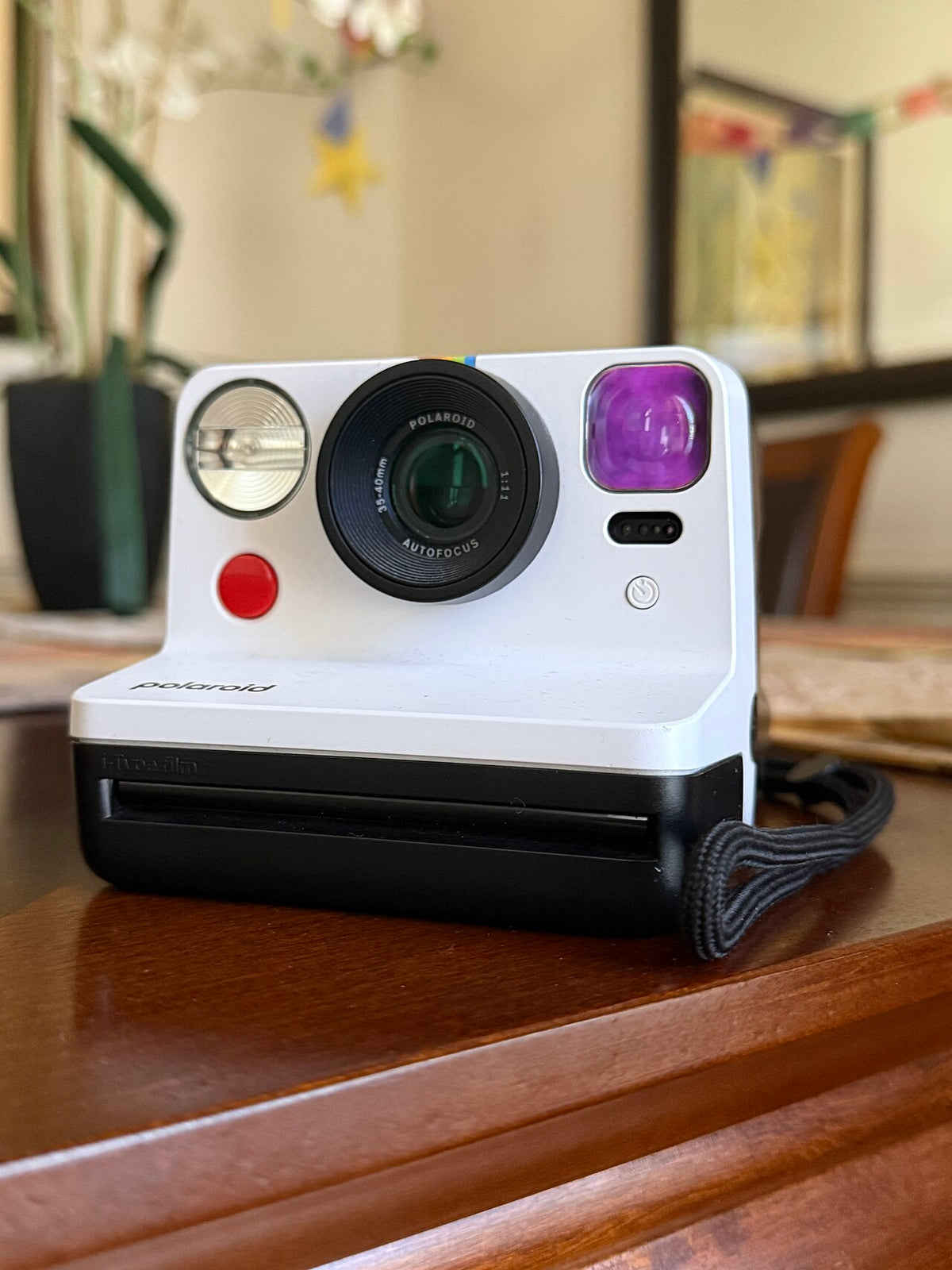
To use a Polaroid: charge the camera (current models) or check that you have the right film (vintage models, with the battery in the pack), insert the pack with the protective sheet facing up and the tab towards you, then close it: the black sheet comes out on its own. Frame, shoot, and keep the photo out of the light. The flash is active by default; on the Polaroid Now, press the button once to turn it off for one photo, twice to keep it off until you turn the camera off.
Which film for which Polaroid?
| Camera | Film |
|---|---|
| Polaroid Now, Now+, I-2, OneStep 2 | i-Type (recommended) or 600 |
| Polaroid Go | Go Film (smaller format) |
| Vintage Polaroid 600 (Sun 660, 635…) | 600 only (the battery is in the pack) |
| SX-70 and Land Camera 1000 | SX-70 |
For more details, see which film for which Polaroid.
Inserting the film
- Turn on the camera (current models): the counter displays 0 when there is no film.
- Open the film door.
- Slide the pack all the way in, with the protective sheet (darkslide) facing up and the tab towards you, holding it by the edges.
- Close it: the black sheet is ejected. Remove it and let the protective shutter retract.
- If it does not come out, remove the pack and reinsert it all the way in, as shown in the Polaroid Now manual.
Do not open the door while the pack is in use: the top photo will be fogged.

The flash: turning it on or off
- Polaroid Now: flash is active when turned on. Press the flash button (on the back, next to the ON/OFF button) once to turn it off for the next photo; press it twice quickly to keep it off until you turn the camera off (Polaroid Support).
- Polaroid Go: press once to turn off the flash; the dot next to the counter disappears; press again to reactivate it.
- Vintage Polaroid 600: on most models, the flash fires with every photo.
Polaroid recommends using the flash for almost every photo except in bright sunlight. The flash reaches about 2 m on the Go: beyond that, turn it off outdoors. For more tips, see how to use the flash properly.
Taking the photo
- Frame the shot with the sun behind you.
- Do not cover the flash or the film exit slot with your fingers.
- Shoot: the photo comes out under a protective shutter.
- Remove it after a few seconds and place it face down: find all the details in what to do when the photo comes out.
Turning off and recharging
The Polaroid Now turns off by pressing ON/OFF for half a second; its battery charges via USB. The 600 and SX-70 cameras do not have batteries: each film pack has its own.
If the camera refuses to work, read Polaroid not working; if the photos come out white or dark, failed Polaroid photos. The models are compared in our review of the Polaroid Now, the Polaroid Go and vintage Polaroid 600s.
Frequently asked questions
Which way should I put the Polaroid film?
Black protective sheet facing up, tab towards you, pushed all the way in. It should come out when you close the door.
How do I turn off the flash on a Polaroid Now?
Press the flash button once for the next photo, twice to keep it off until the camera is turned off.
Why does the black sheet not come out?
The pack is not inserted all the way in, the camera is not charged (current models), or the pack's battery is dead (vintage 600). Reinsert the pack.
All cameras sold on Vibes Photo are checked before shipping and covered by a 6-month warranty (details in our general terms and conditions of sale).