




Printing your photos: photo lab, kiosk, or portable photo printer?
The different ways to print your photos, the resolution required depending on the print size, the 4:3 problem on a 10 × 15 print, and which portable printer to choose.
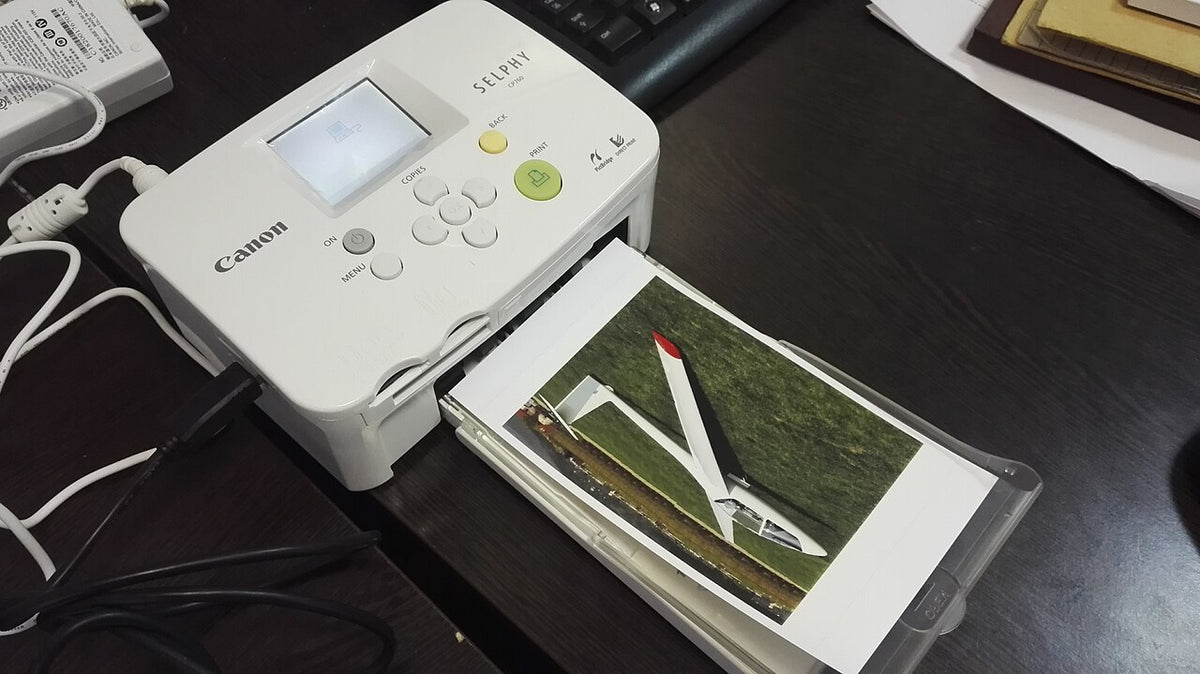
For quality prints that won't break the bank, go with a photo lab (online or in-store): silver halide prints on photo paper are sharp and durable. To print right away at home or at a party, a portable photo printer will do the trick: Canon Selphy for high-quality 10 × 15 prints, Instax Link for a true instant print, and Zink printers for small sticker prints. Good news: even a 3-megapixel digicam is enough for a beautiful 10 × 15 print.
The verdict in 30 seconds
The best quality
- photo lab (silver halide paper);
- ideal for albums and large formats;
- a few days' wait online.
Instant printing
- Canon Selphy: 10 × 15, dye-sublimation;
- Instax Link: instant rendering;
- Zink: small sticker formats.

How many pixels for what print size?
For a print viewed up close, aim for around 300 dots per inch (dpi). At 200 dpi, the quality remains good for most eyes. Calculation:
| Print size | At 300 dpi | At 200 dpi |
|---|---|---|
| 10 × 15 cm | 1,181 × 1,772 px (about 2 MP) | 787 × 1,181 px (about 1 MP) |
| 13 × 18 cm | 1,535 × 2,126 px (about 3.3 MP) | 1,024 × 1,417 px (about 1.5 MP) |
| 20 × 30 cm | 2,362 × 3,543 px (about 8.4 MP) | 1,575 × 2,362 px (about 3.7 MP) |
| 30 × 45 cm | 3,543 × 5,315 px (about 19 MP) | 2,362 × 3,543 px (about 8.4 MP) |
A 5- to 8-megapixel digicam can therefore handle prints up to 20 × 30 without any problems, especially since larger prints are viewed from further away.
The 4:3 format trap
Most digicams and smartphones produce images in 4:3 format, while 10 × 15 prints are in 3:2 format (the format of 24 × 36 film). When printing, the lab crops the top and bottom or adds white borders. To keep the entire image:
- choose the "no crop" or "full image" option at the lab;
- or order 4:3 format prints when the lab offers them (for example, 10 × 13 or 11 × 15, depending on the lab);
- or crop it yourself before sending it, so you can choose what gets cut out.
Some digicams also offer a 3:2 mode when taking photos.
Portable photo printers
| Technology | Examples | Format | Strengths | Limitations |
|---|---|---|---|---|
| Dye-sublimation | Canon Selphy CP, Polaroid Hi-Print | 10 × 15 (Selphy), small format (Hi-Print) | Lab-like rendering, prints protected by a varnish | Cartridge + paper need to be repurchased |
| Instant film | Instax Link (mini, Square, Wide) | Instax formats | True instant print, white border | Cost of film, lower resolution |
| Zink (inkless paper) | Pocket Polaroid, Kodak, Canon, and HP printers | About 5 × 7.6 cm | Very compact, sticker paper | Less accurate colors, modest quality |

Online lab, in-store kiosk, or home printer?
- Online lab: the cheapest per print for large quantities, with a wide choice of formats and papers (glossy, matte, satin).
- In-store kiosk: fast, using a memory card or phone. Check that the kiosk reads your card (older CF, xD, or Memory Stick cards are accepted less and less: copy your photos to a flash drive or phone first).
- Inkjet printer: possible, but the cost of ink and durability depend heavily on the inks and paper.
To retrieve photos from an old camera, see transferring photos from an old camera and our guide to memory cards.
What about film photos?
A lab can make prints directly from your negatives or from scans made during development. Ask for a high-resolution scan if you want to make enlargements later. For instant photos, there is no negative: scan your best ones to keep a copy, as explained in keeping your instant photos.
Printing your photos is also what makes you want to keep taking them, especially with children: see what camera is right for a child.
See the vintage digital essentials → See our instant cameras →