




Which camcorder should I use to film clips and TikToks with a vintage look?
Camcorders are making a comeback on TikTok and in music videos. Which format should you choose to achieve the desired look, how can you easily retrieve the videos, and how can you adapt them to vertical format?

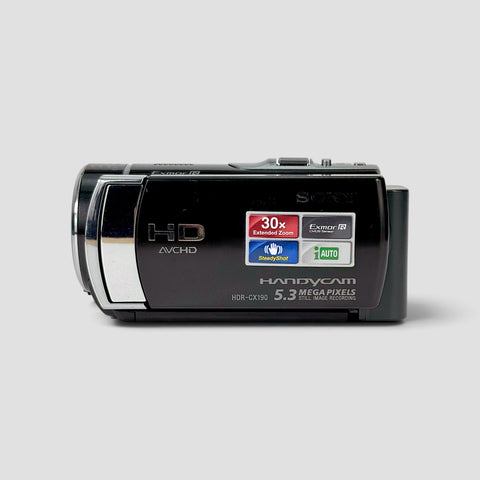
For hassle-free TikToks or Reels with a 2000s look, the easiest option is a late 2000s camcorder with an SD card, hard drive, or internal memory: the files copy directly to your computer. For a true tape look (bleeding colors, minor imperfections, 4:3 image), choose a MiniDV (sharp digital image, a very good compromise) or a Hi8/Video8 (softer, analog look), but plan to digitize the tapes. In any case, the image is low-definition 4:3: that's exactly what we're looking for.
The verdict in 30 seconds
The easiest
- 2000s SD/hard drive camcorder;
- direct files, no capture needed;
- 2000s "home video" look.
The most authentic
- MiniDV: sharp, digital, tapes are still available;
- Hi8/Video8: soft analog look;
- you need to digitize each tape.

Which format for which look?
| Format | Look | Retrieving the videos | For whom |
|---|---|---|---|
| VHS-C | The most "VHS": blurry, bleeding colors | VHS VCR + adapter, then capture card | Very vintage, unapologetic look |
| Hi8 / Video8 | Analog, soft, slightly sharper than VHS | Camcorder player + analog capture card | 1990s look |
| Digital8 | Digital, close to MiniDV | DV output (FireWire) or analog | Good compromise, also plays Hi8 on many models |
| MiniDV | Sharp digital, faithful colors, "early 2000s" look | FireWire to computer, or analog capture | The most sought-after for clips |
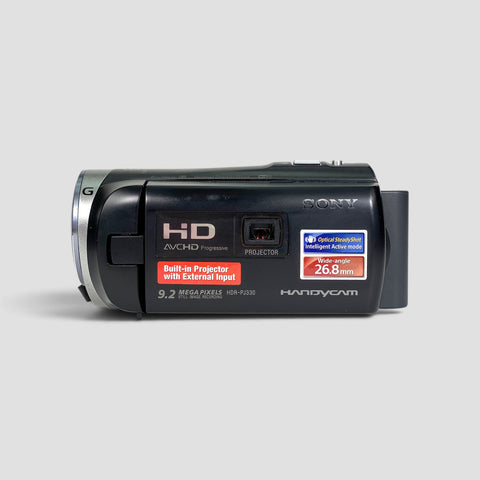
| DVD / hard drive / SD card | Compressed SD video, "2005-2010 home camcorder" look | Direct file copy (or finalizing the DVD) | The most practical for TikTok |
For the details of each format, read our MiniDV, Hi8 and Video8, VHS-C, and DVD, hard drive, and SD card camcorder guides.
The criteria that matter for content
- A flip-out screen: practical for filming yourself.
- A battery available: check the model number and the availability of new compatible batteries. See our guide to camcorder batteries.
- A simple transfer method: SD card or USB if you want to publish quickly, FireWire or analog capture if you accept an extra step.
- Night mode: the NightShot function on some Sony cameras films in the dark using infrared, with a greenish image that has become an effect in its own right.
- A compact camcorder: a one-handed model is easier to take out in the evening or at a concert.
To choose a specific model, our guide which Sony Handycam to choose and our comparison of Panasonic, JVC or Canon review the ranges.

From interlaced 4:3 to vertical 9:16
A camcorder from this era films in standard definition (720 × 576 pixels in PAL, the European standard), in 4:3, and in interlaced video. Three steps to publish properly:
- Deinterlace the video in your editing software or a free tool like HandBrake, to avoid comb lines on movements.
- Choose your framing: keep the 4:3 with bars (the "camcorder screen" look is very recognizable), or crop to 9:16 by sacrificing the sides of the image. Think about it during filming by keeping your subject in the center.
- Don't zoom in too much: an SD image stretched to full vertical screen becomes very blurry. A slight zoom is often enough.
For digitizing the tapes, follow our tutorial transfer a camcorder tape to a computer.
Achieving the look during filming
- Leave the camera on automatic: variations in focus and white balance are part of the charm.
- Activate the date and time display if your camcorder burns it into the recording: it's a strong marker of the era.
- Film handheld, close to people, with ambient lighting or the video light.
- Avoid "VHS" filters added afterwards if you are already filming with a real camcorder: the authentic look is enough.
Don't have a camcorder yet? Our guide VHS effect: filming with a vintage look compares the real camcorder and alternatives, and our general guide vintage camcorder: which one to choose helps you sort through them.
All devices sold on Vibes Photo are checked before shipping and covered by a 6-month warranty (details in our general terms and conditions of sale).