




Digicam formats and resolution: Megapixels, JPEG, RAW, video
Megapixels, 4:3 aspect ratio, JPEG compression, RAW on enthusiast compacts, 640 x 480 video: understand digicam formats and choose the right settings.
A 2000s digicam generally has between 3 and 12 megapixels, saves photos in JPEG in 4:3 format, and most often records video in 640 x 480. Only some enthusiast compacts (Canon G9, Panasonic LX3, Ricoh GR Digital, Nikon P7000) also save in RAW. For screen and social media use, even 5 MP is more than enough: an Instagram photo is 1080 pixels wide.
Megapixels: what that means
| Advertised resolution | Image size (4:3) | Comfortable print size |
|---|---|---|
| 3 MP | 2048 x 1536 | 10 x 15 cm |
| 5 MP | 2592 x 1944 | 13 x 18 cm |
| 8 MP | 3264 x 2448 | 20 x 30 cm |
| 10 MP | 3648 x 2736 | 20 x 30 cm and larger |
| 12 MP | 4000 x 3000 | 30 x 40 cm |
The sizes correspond to the most common values; they vary slightly depending on the sensor. The comfortable print size is indicative, calculated around 250 to 300 pixels per inch.
More pixels on a small sensor does not mean a better image: a well-designed 6 MP compact often produces cleaner files than a low-end 14 MP. This is one of the reasons for the FinePix F30's (6 MP) reputation. See our FinePix guide.
JPEG quality: "Fine" or "Normal"?
Most digicams offer two or three compression levels (Super Fine, Fine, Normal on Canon, for example). Always choose the lowest compression and the largest size: current SD cards have plenty of space, and you can crop later. Reducing the resolution in the camera does not provide a particular "look": it is better to do it during export.
RAW: on which compacts?
RAW preserves the raw data from the sensor before processing. On a digicam, it is mainly useful for recovering highlights or correcting the white balance. But beware: the digicam look comes largely from the camera's JPEG processing, which RAW bypasses. Common compacts with RAW: Canon G9, Panasonic LX3, Ricoh GR Digital (DNG), Nikon P7000 (NRW).

Ratios: 4:3, 3:2, 16:9
Small sensors are in 4:3 format. Many digicams also offer 16:9 and sometimes 3:2 by cropping the image: you lose a few pixels but you frame directly in the right format. For Instagram, 4:3 held vertically gives 3:4, adapted to the grid. See digicam for TikTok and Instagram.
Video: resolutions and files
Digicams often record in 320 x 240 or 640 x 480 until the mid-2000s, then in 720p on many models from 2008-2009 onwards. Files are generally in Motion JPEG (AVI or MOV), readable by most recent players. Some models limit the duration or size of a clip: check the manual of the exact model.
Tip: in Motion JPEG video, files are large. An 8 or 16 GB card, if the camera recognizes it, avoids unpleasant surprises. See what memory card for an old digital camera.
The settings we recommend
- maximum size, lowest compression;
- native 4:3 format, unless you want to frame directly in 16:9;
- date stamp disabled (you can add it in editing if you want the effect);
- lowest possible ISO outdoors.
For the look, read our settings to recreate the 2000s look.
At Vibes Photo, each device is checked before being put on sale and covered by a six-month commercial warranty, in addition to the legal guarantees of conformity and hidden defects. The details are in our general terms and conditions of sale.
Also read: RAW or JPEG: which format to choose for your photos?.
Frequently asked questions
How many megapixels do you need for a digicam?
For social media and the screen, 3 to 5 MP is enough. For prints larger than 20 x 30 cm, aim for 8 MP and more.
Do digicams save in RAW?
Most do not, only in JPEG. Some enthusiast compacts do: Canon G9, Panasonic LX3, Ricoh GR Digital, Nikon P7000.
What video resolution on a digicam?
Most often 640 x 480, sometimes 320 x 240 on the oldest and 720p on some models from the late 2000s.
How to add the date to photos?
Many digicams offer the date stamp in the menu. It is permanent: you will no longer be able to remove it.
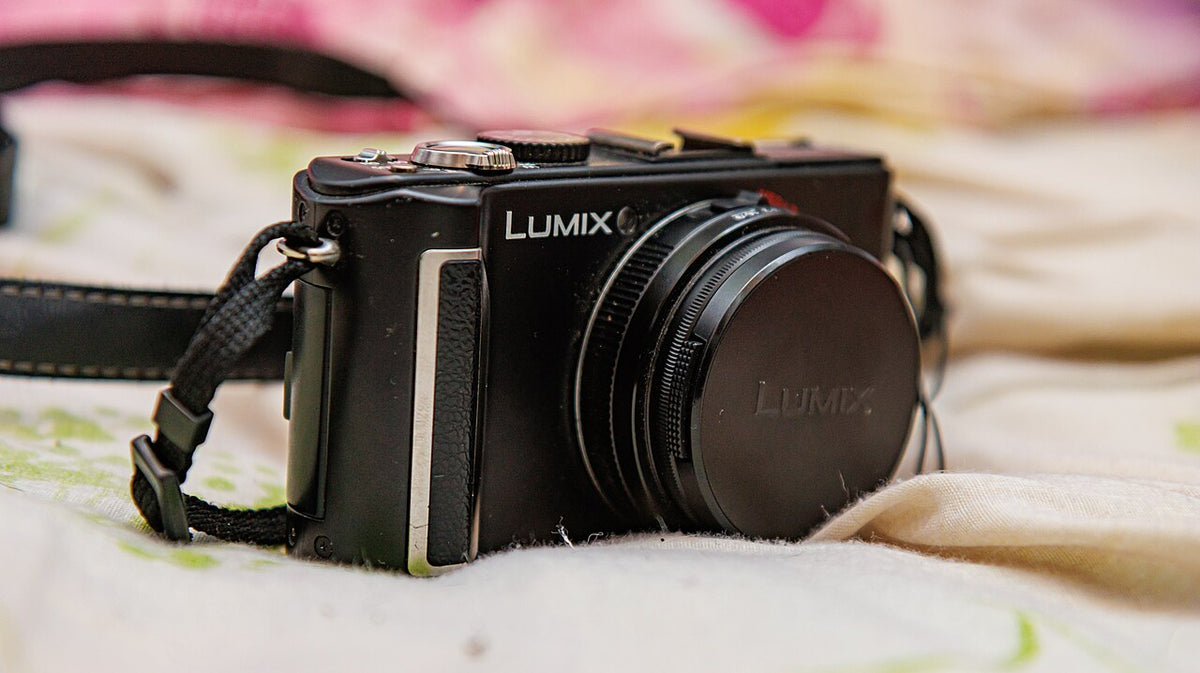
Main image: Black Panasonic Lumix DMC-LX3 enthusiast compact seen from the front. Photo: Dinkun Chen, CC BY-SA 4.0, via Wikimedia Commons