




Open back with a film inside: what to do and what can be saved?
Back accidentally left open with film inside: immediate actions, what is lost or saved depending on the position of the film, and how to prevent it from happening again.
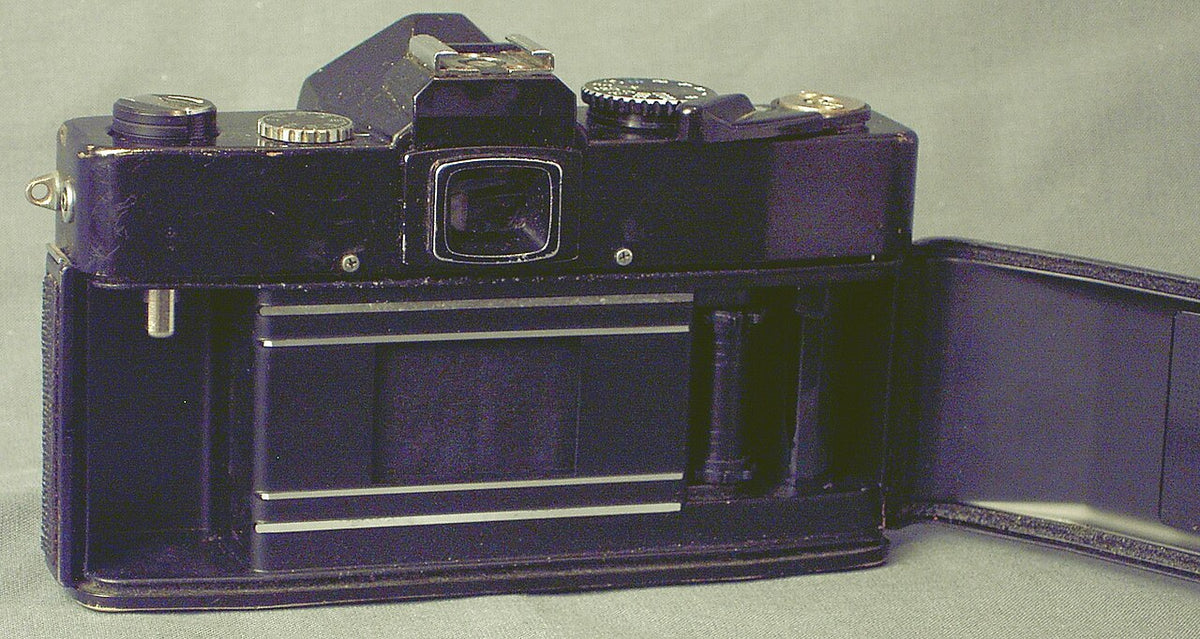
Did you open the back of your camera while there was film inside? Don't panic: not everything is necessarily lost. What is ruined depends on where the film was, for how long, and the light. Here is what to do right away, what you can save, and how to prevent it from happening again.
What to do immediately
- Close the back right away. Every second counts, especially in direct sunlight.
- Don't rewind by reflex if you don't know where the film is: first think about what you want to save.
- If the roll was almost finished, rewind it and have it developed, mentioning the incident to the lab.
- If the roll had just started, advance two or three exposures "blank" (cap on the lens) to bypass the ruined part, then continue.
What is lost?
Light reaching unexposed film ruins it: on the negative, this creates dark areas across the entire width of the film, including the margins, and on prints, light areas appear orange or washed out. But not all of the film is exposed in the same way:
| Part of the film | Risk | Why |
|---|---|---|
| In the cartridge (unexposed frames) | Very low | The cartridge is light-tight |
| Unwound between the cartridge and the take-up spool | Lost | Directly exposed to light |
| Wound on the take-up spool (exposed frames) | Partial | The outer layers are exposed; the inner layers are better protected |
In practice, you often lose the last exposed frames and the first few following frames; the oldest photos on the roll, wound in the core of the spool, have a better chance of being saved.

The case of cameras that protect the film
Some automatic cameras unwind all the film when loaded, then rewind it frame by frame into the cartridge. This is the case with the Canon EOS 300: if the back opens accidentally, the photos already taken are safe in the cartridge, and only the unexposed frames are ruined. See Canon EOS film cameras.
And what about medium format?
A 120 roll is wound with opaque protective paper, which often limits the damage to the already wound frames; the frames exposed to light at the time the back is opened remain lost. Close it quickly, finish the roll, and have it developed. See getting started in medium format.
How to prevent it from happening again
- Look at the back window: many cameras have a small window that shows the cartridge.
- Check the counter: if it shows a number, there is probably film inside.
- Turn the rewind crank slowly: if you feel resistance, there is film inside.
- Always rewind before opening: see how to rewind film.
- Slide the box flap into the back's memo holder, if it has one.

Light leaks: it's not always an open back
Light bands or patches on several frames without having opened the back? The back's light seals deteriorate with age and let light through. This is common maintenance for vintage cameras: see maintaining a vintage camera and the clinic of ruined photos. To read your negatives and spot the problem: reading a negative.
All cameras sold by Vibes Photo are inspected before being put on sale and covered by a six-month commercial warranty, in addition to legal warranties. Details can be found in our general terms and conditions of sale.
Frequently asked questions
I opened my camera with film inside, is everything lost?
No. The frames still in the cartridge are protected, and the first exposed frames, wound in the core of the spool, can be saved. The frames near the opening are generally lost.
Should I still have the film developed?
Yes: it is the only way to know what was saved. Mention the incident to the lab.
How many frames to advance after opening the back?
Two or three frames, cap on the lens, to bypass the ruined part.
How to tell if there is film in the camera?
Look at the back window and the counter, or turn the rewind crank slowly: resistance indicates film.
Sources: Wikipedia – Fogging (photography); Camera-wiki – Canon EOS 300.